Genova
Manage SMI
Managing SMIs: A Step-by-Step Guide
This guide provides a comprehensive walkthrough of the SMI management process. Follow these steps with the accompanying screenshots to efficiently create, edit, and list SMIs within the system. Each step includes visual aids to ensure a smooth user experience.
Start url: http://localhost/vanguard-genova/cia/admin/
Tab Name: Create/Edit Form - GENOVA INSURANCE
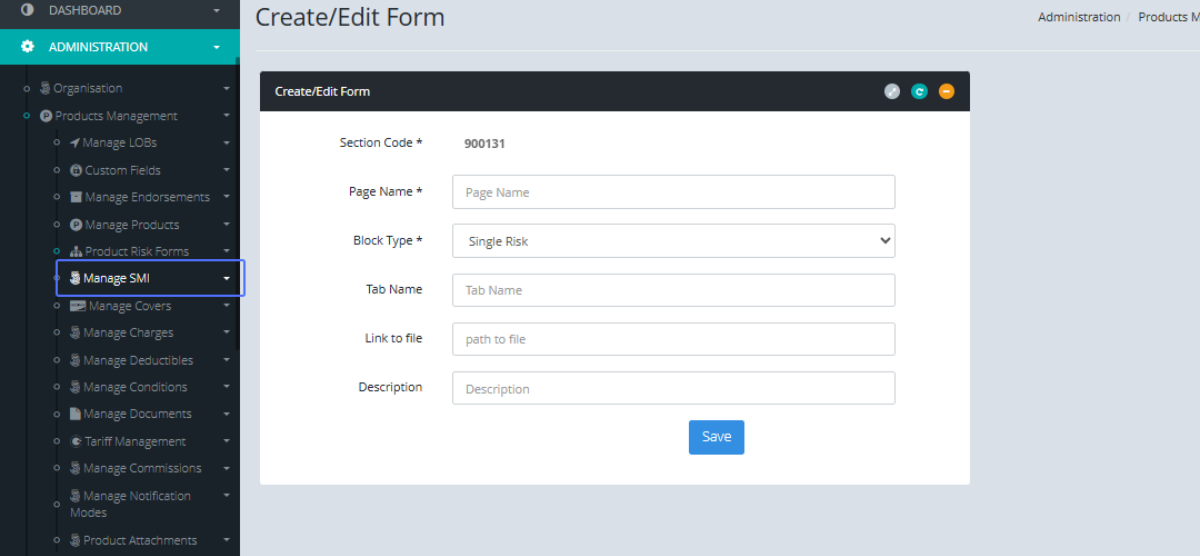
Accessing the SMI Management Interface: Click the “Manage SMI” button under the Products Management Tab
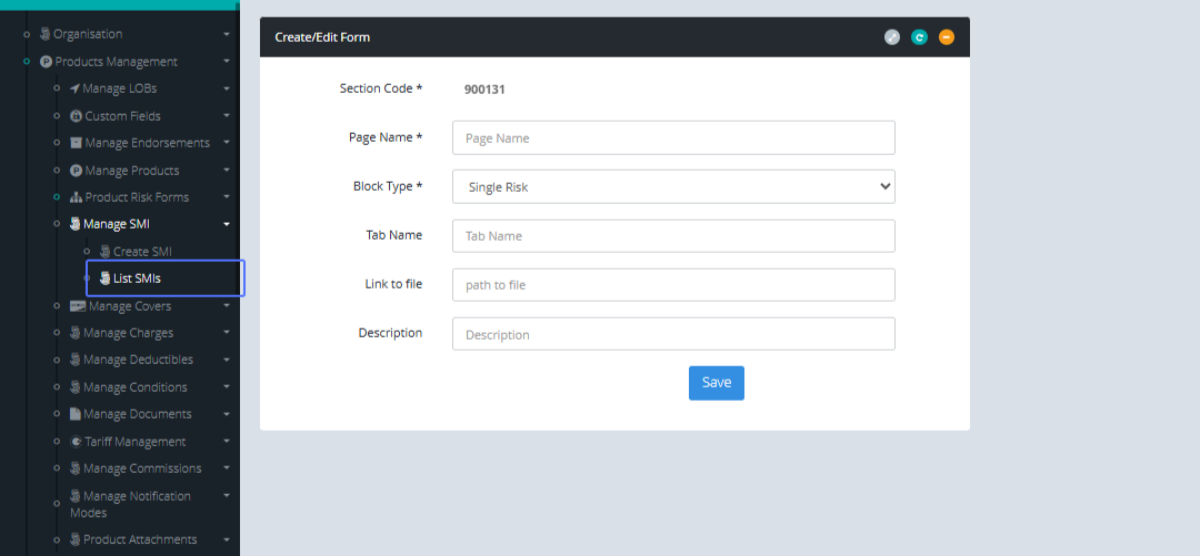
Listing Existing SMIs: Then Click on the “List SMIs” to see the SMI’s within the system.
Tab Name: List SMIs - GENOVA INSURANCE
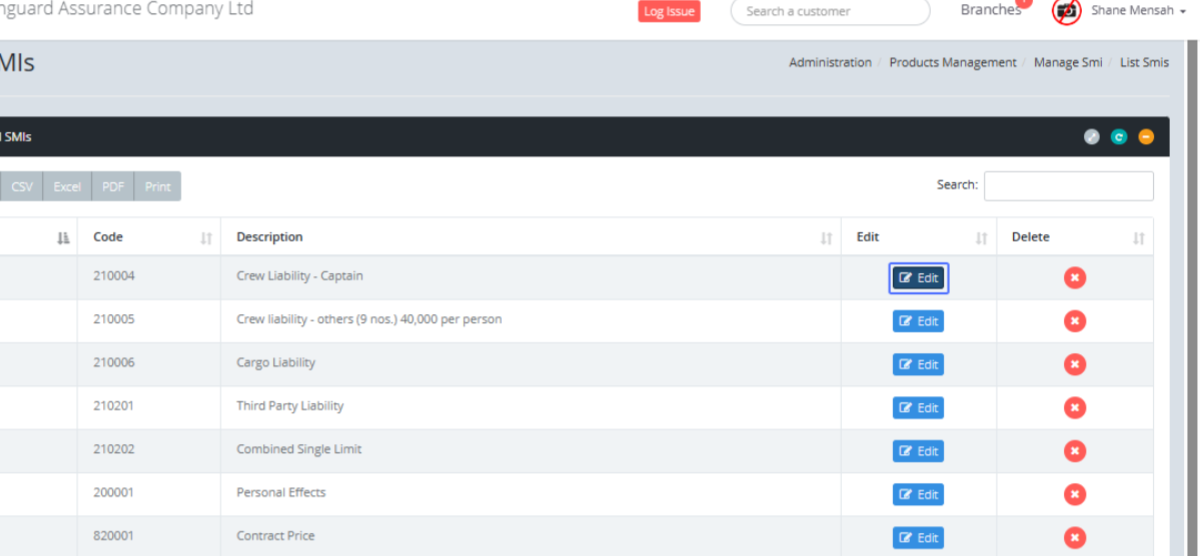
Editing an Existing SMI :Click on the Edit button, If you want to edit an existing SMI.
Creating a New SMI: To create a new SMI, Click on the “Create SMI” button within the Manage SMI tab.
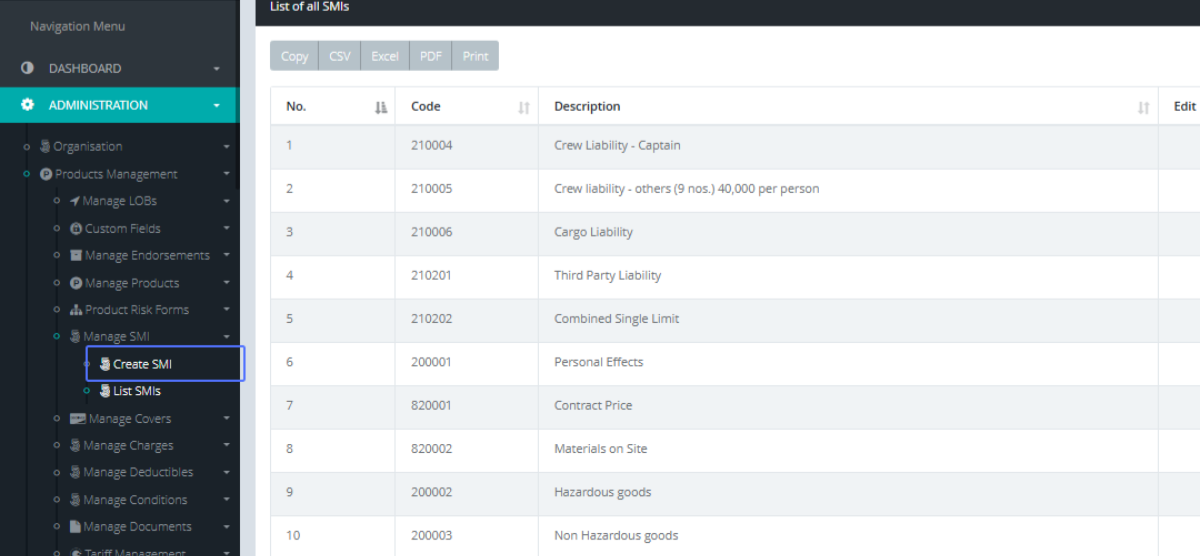
Tab Name: Create SMI - GENOVA INSURANCE
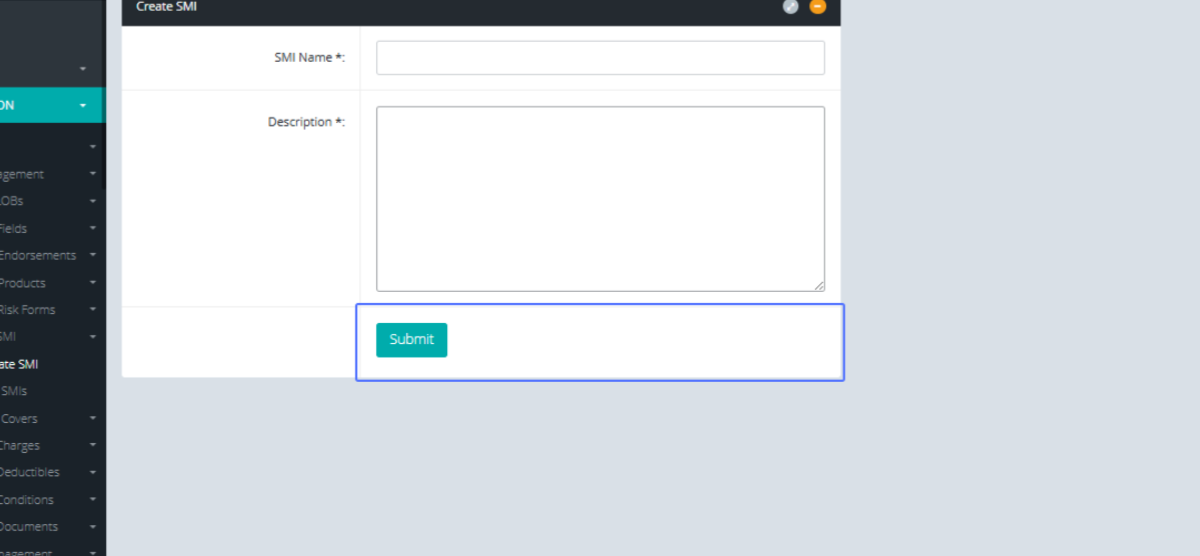
Entering the SMI Name: On the Create SMI page, Enter the name of the SMI you want to create.
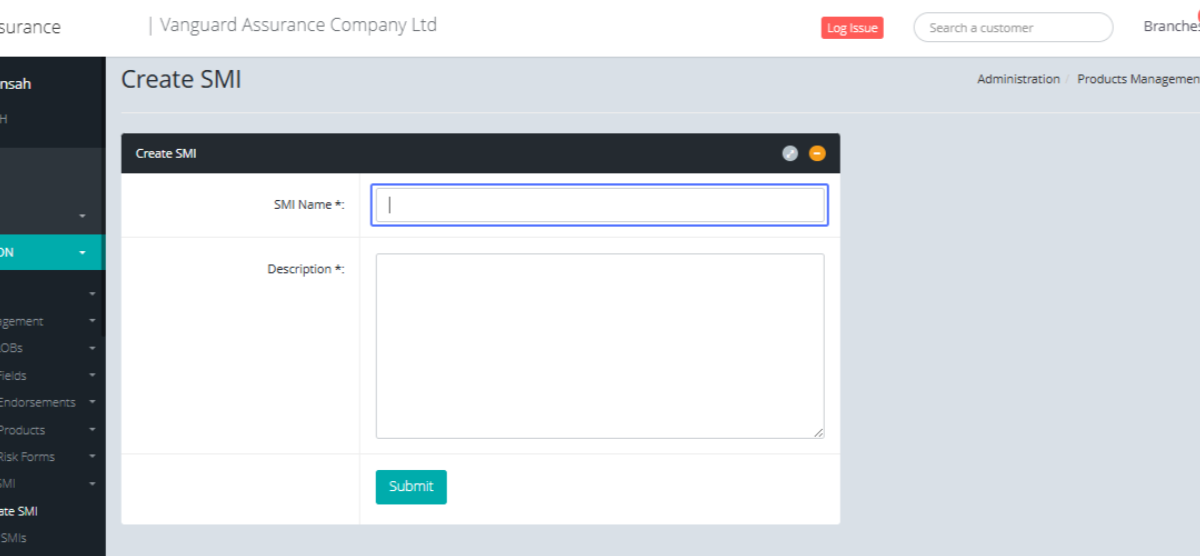
Adding a Description for the SMI: Users can also add the description to the SMI.
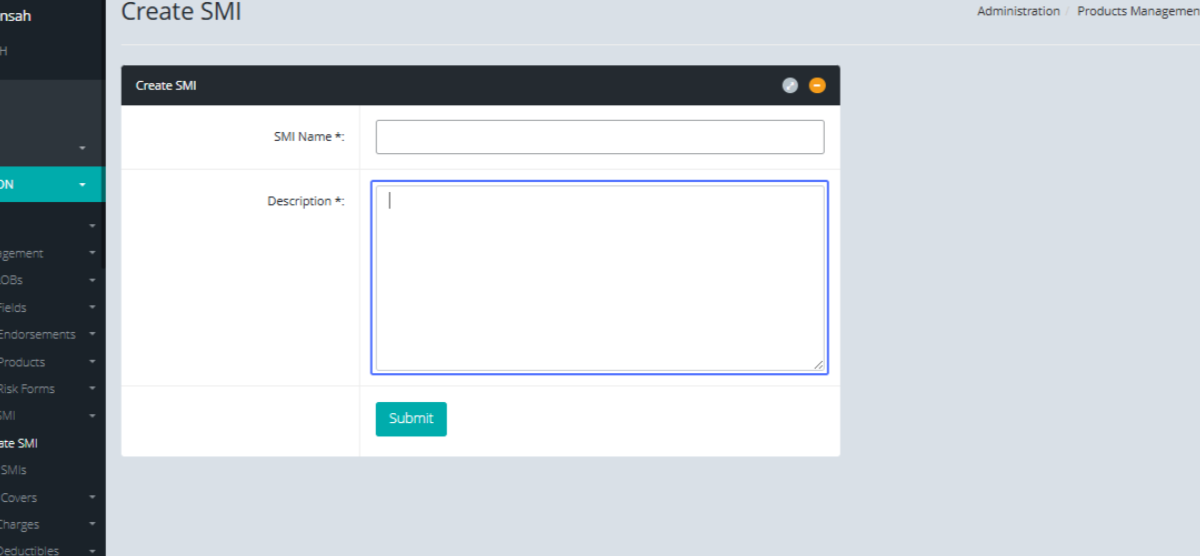
Submitting the New SMI: After that is completed, Users can save the SMI by clicking the submit button.